Why Small Businesses Are Replacing Salesforce With Custom CRMs
Salesforce is built for enterprise sales teams. Most small businesses pay for complexity they will never use — and still end up missing the features they actually need. Here is what a purpose-built CRM looks like.
The Salesforce problem for small businesses
Salesforce has 23% of the global CRM market. It also has 3,000 features, a certification ecosystem, an entire consulting industry built around implementations, and a pricing structure that starts reasonable and climbs fast the moment you need anything beyond the basics.
Small businesses get sold on the brand and end up with something that requires a part-time administrator to maintain, a training program to onboard staff, and a monthly bill that grows every year. Meanwhile, the sales team has gone back to using a shared spreadsheet because the CRM is too complicated to actually use on a call.
This is not a Salesforce problem specifically — it is the problem with any enterprise platform being sold down-market. HubSpot, Zoho, and Pipedrive all have versions of the same issue. The platform was designed for someone else's business. You are trying to fit yours into it.
What a CRM actually needs to do for a small business
Strip out the enterprise complexity and the core CRM job is simple: help your team track contacts, deals, and follow-ups without anything falling through the cracks. For most small businesses, that breaks down into a handful of concrete requirements:
- A contact and company database that is easy to search, update, and segment — no data entry gymnastics.
- A pipeline view that shows every active deal, its current stage, and who is responsible for the next action.
- Automated follow-up reminders so leads do not go cold because someone forgot to make a call.
- A history of every interaction — calls, emails, proposals, meetings — tied to the contact record.
- Reporting that answers the two questions every owner actually cares about: how many deals are in the pipeline and what is likely to close this quarter.
- Integration with the email and calendar tools your team already uses every day.
That list is not complicated. The problem is that off-the-shelf CRMs bury those six things under hundreds of features you will never touch, and still manage to miss the one workflow that is specific to your business.
Where off-the-shelf CRMs fail small businesses
The gaps show up in the same places, across industries:
- Your sales process does not map to generic pipeline stages. You need custom stages that match how your business actually moves a deal from inquiry to signed contract.
- You have industry-specific data you need to track — service history, project specs, permit dates, certifications — and there is no clean place to put it in a generic CRM.
- The mobile app is slow, unintuitive, or missing features, so field staff stop using it within a month of rollout.
- The reporting tools show you what the platform thinks you need to see, not the three numbers your GM reviews every Monday morning.
- Integrating with your existing tools — estimating software, job management, accounting — requires paid add-ons, Zapier workarounds, or a consultant.
- You are paying for seats for users who only need read access or occasional lookups, but the pricing model treats everyone the same.
What industries are seeing the most CRM migration
The shift away from off-the-shelf CRMs is most visible in service businesses with recurring client relationships and complex workflows. The industries where this shows up most often:
- HVAC and field service — technicians need service history and equipment details in the field, not a generic contact card.
- Construction and contracting — project-based sales require tracking bids, estimates, and project milestones, not just contacts and deals.
- Legal and accounting firms — client relationships are long-term and heavily document-dependent; standard pipeline stages do not fit.
- Real estate — agents and teams need property-centric tracking alongside contact management, something most CRMs bolt on awkwardly.
- Nonprofits — donor relationships, grant tracking, and volunteer management require a fundamentally different data model than a sales CRM.
What a custom CRM actually looks like
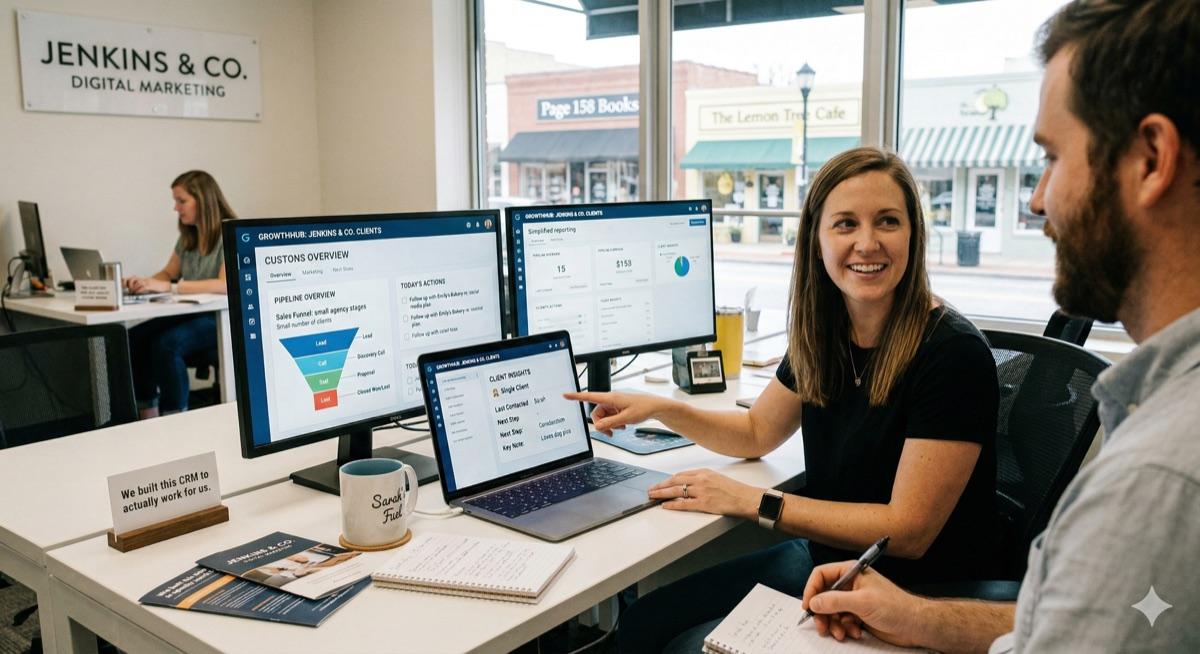
A custom CRM is not a rebuild of Salesforce with your logo on it. It is a purpose-built tool that handles exactly what your business needs — and nothing it does not.
For a mid-size HVAC company, that might look like:
- A customer record that includes contact info, equipment on-site with installation dates and service history, and preferred service windows.
- A quote pipeline showing every open estimate, its status, and the follow-up date — with one-click access to the proposal PDF.
- Automated SMS reminders for scheduled maintenance, tied to equipment records so the message references the specific unit.
- A mobile view for technicians showing the day's job list, customer history, and a simple form to log what was done and capture a signature.
- A dashboard showing close rate by technician, revenue by service type, and upcoming maintenance renewals for the next 90 days.
- A direct sync with QuickBooks so won deals flow into invoicing without re-entry.
For a small law firm, the same concept produces something completely different: a matter-centric record structure, a client portal for document exchange, deadline tracking tied to the contacts file, and a dashboard showing active matters by practice area and responsible attorney.
The point is not that custom CRMs all look the same. It is that yours looks exactly like your business — because it was designed around how your team actually works.
The cost comparison that surprises most owners
The first objection to a custom CRM is almost always cost. Off-the-shelf software looks cheap at $50 or $80 per user per month. Until you do the math.
A business with ten users paying $80 per seat per month spends close to $10,000 a year on licensing alone — before implementation, training, or add-ons. Over three years, that is more than most small business CRM builds cost to build and own outright. And unlike a SaaS subscription, a custom build does not come with annual price increases or the risk of the vendor changing the pricing model.
That math does not always favor custom — there are businesses where a well-fit off-the-shelf tool is the right answer. But the assumption that custom software is always more expensive than SaaS does not hold up when you run the actual numbers over a realistic time horizon.
Built for how you work, not how a CRM vendor thinks you work
The businesses that get the most out of a custom CRM are the ones with a clear, established sales and client management process — and a specific list of ways their current tool is not serving that process.
The build starts with a discovery conversation: how does your team actually manage contacts and deals today, what falls through the cracks, and what would change if the tool matched the real workflow? That conversation drives the scope. The scope drives the build. You get a fixed-price quote before any code is written, and you own everything when it is done.
Frequently asked questions
Can a custom CRM integrate with tools I already use, like QuickBooks or Outlook?
Yes. Integration with QuickBooks, Outlook, Gmail, and other common small business tools is a standard part of most custom CRM builds. The integrations get scoped in discovery — so you know exactly what will connect and how before development starts.
Is a custom CRM more expensive than Salesforce in the long run?
For many small businesses, no. Salesforce costs add up fast: per-user monthly fees, add-on modules, implementation consultants, and annual price increases. A custom CRM is a fixed one-time build cost with no per-user fees. For businesses with 5–20 users, the math often favors a custom build within two to three years.
What if my needs change after the CRM is built?
You own the code. Changes, additions, and new features can be scoped and built at any time. You are not waiting for a vendor to add the feature to their roadmap or paying for a premium tier just to unlock a setting.
If your current CRM is slowing your team down or missing the features that actually matter to your business, start the conversation. The first step is a discovery call to map your current process and figure out whether a custom build makes sense for your situation.
Ready to talk about your project?
Tell us what you're building. Brad reviews every submission personally.
Start Your Project