Field Service Scheduling Software for Companies Under 50 Employees
Enterprise scheduling platforms are expensive and overcomplicated for smaller field service teams. Here is what the right-sized solution actually looks like.
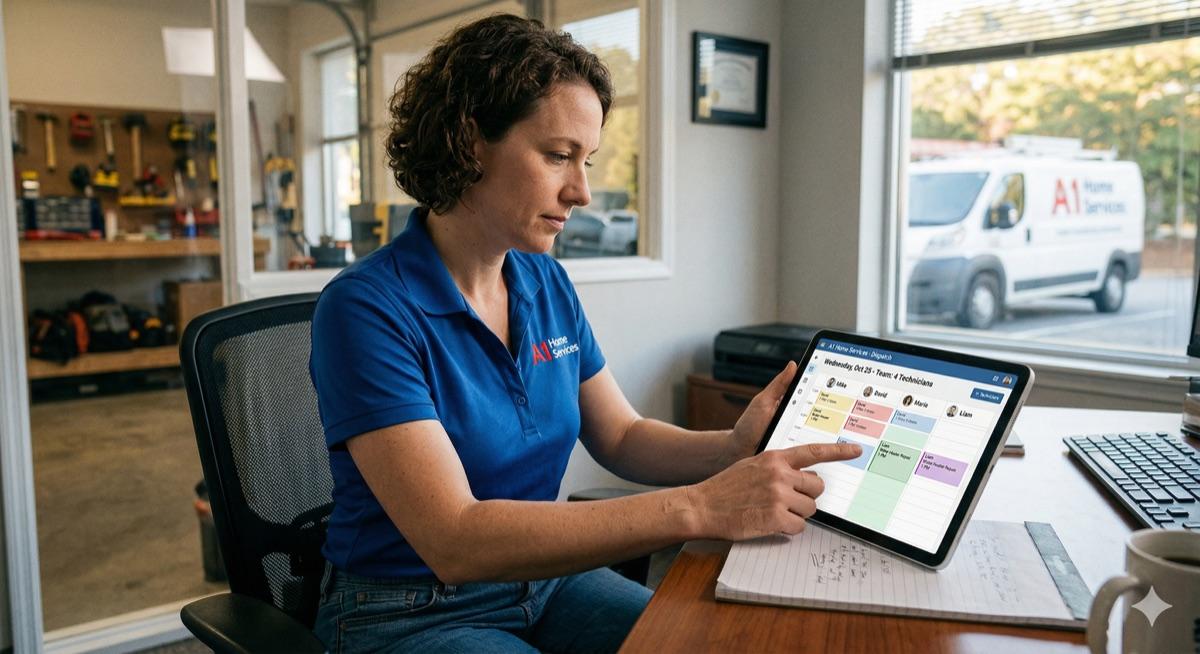
The scheduling problem at 5–50 employees
At five to ten employees, the whiteboard works. Someone owns the board, everyone checks it in the morning, and if a job changes, you make a call. It is inefficient but manageable.
At fifteen, twenty, thirty employees, it breaks. The whiteboard does not scale. Techs are calling the office to confirm their schedule. The office is calling techs to get job status. Dispatch is a constant interruption. And the enterprise platforms built to solve this — ServiceTitan, FieldEdge, Housecall Pro at scale — are priced and designed for operations twice your size.
The gap is real. You need digital scheduling, dispatch visibility, and mobile tech access. You do not need the full enterprise stack, the per-user pricing that balloons with headcount, or a six-month onboarding process.
What scheduling software actually needs to do at your size
Strip away the enterprise features and what remains is straightforward:
- Assign jobs to technicians based on availability and location.
- Give techs their schedule on their phone without a call to the office.
- Let the office see job status in real time — not an hour later.
- Handle rescheduling and emergency calls without creating chaos.
- Notify customers automatically when a tech is on the way.
That is the core. Everything else is negotiable depending on your operation.
Where enterprise tools go wrong for small teams
Enterprise field service platforms are built for enterprise field service operations. When a 20-person HVAC company tries to use one, the mismatch shows up quickly.
- Too many features create training overhead. Your techs are not going to use a platform with 40 screens.
- Per-user pricing gets expensive fast. At 20 techs plus office staff, you are paying for seats you barely use.
- Customization requires a consultant. Getting the platform to match your workflow is a project of its own.
- Support is a ticket queue, not a phone call. When something breaks on a busy Tuesday, you need help now.
Custom software built for your size is not a compromise. It is a better fit.
What custom scheduling software looks like for a 15-person HVAC company
Here is a concrete walkthrough of what a right-sized scheduling system includes:
- Dispatch board — office staff see all open and assigned jobs in a day view. Drag to assign. One screen.
- Job assignment — assign a job to a tech with a note, a time window, and the job address. Tech gets notified immediately.
- Tech mobile view — tech opens the app on their phone and sees their schedule: job address, customer name, job details, and a navigation button. No calls to the office to ask what comes next.
- Status updates — tech taps through En Route, On Site, and Complete. Office sees the update in real time.
- Automated customer notifications — when the tech marks En Route, the customer gets a text with an estimated arrival. No manual calls.
- Admin view — office manager sees all jobs, all statuses, all techs, and can pull a simple end-of-day report.
That is a complete system. No unnecessary modules, no training certification, no six-month rollout. Built for your operation, not a hypothetical enterprise customer.
The ROI calculation
The business case for scheduling software at this size is not complicated. Three places to look:
- Time saved per day on dispatch calls. If your office coordinator spends 90 minutes a day on scheduling calls and status checks, and that drops to 20 minutes, you recover meaningful labor hours every week.
- Jobs that currently fall through the cracks. A missed follow-up or a miscommunicated reschedule costs you a job. How many of those happen per month?
- Customer satisfaction from real-time ETAs. Customers who know when the tech is arriving call less, complain less, and leave better reviews.
Put real numbers to those three line items for your company and the investment math becomes clear quickly.
Frequently asked questions
Does this work on any smartphone?
Yes. Custom scheduling software is built as a mobile web application that runs in any browser on any smartphone — iOS or Android. No app store download required. Techs open a link, log in, and see their schedule. That is it.
Can we add online booking for customers?
Yes. Online booking can be added as a customer-facing feature — a form on your website where customers request a service call, which then flows into the dispatch board for your office to assign. It is a natural extension of the same system.
Ready to talk about your project?
Tell us what you're building. Brad reviews every submission personally.
Start Your Project