Custom Software for Restoration Companies: First Notice of Loss, Drying Logs, and Xactimate Reality
Generic field service apps were not built for water, fire, and mold restoration. First notice of loss, drying logs, equipment tracking, Xactimate sketches, and insurance carrier programs all live in different tools. Here is when custom software for a restoration company starts to pay for itself.
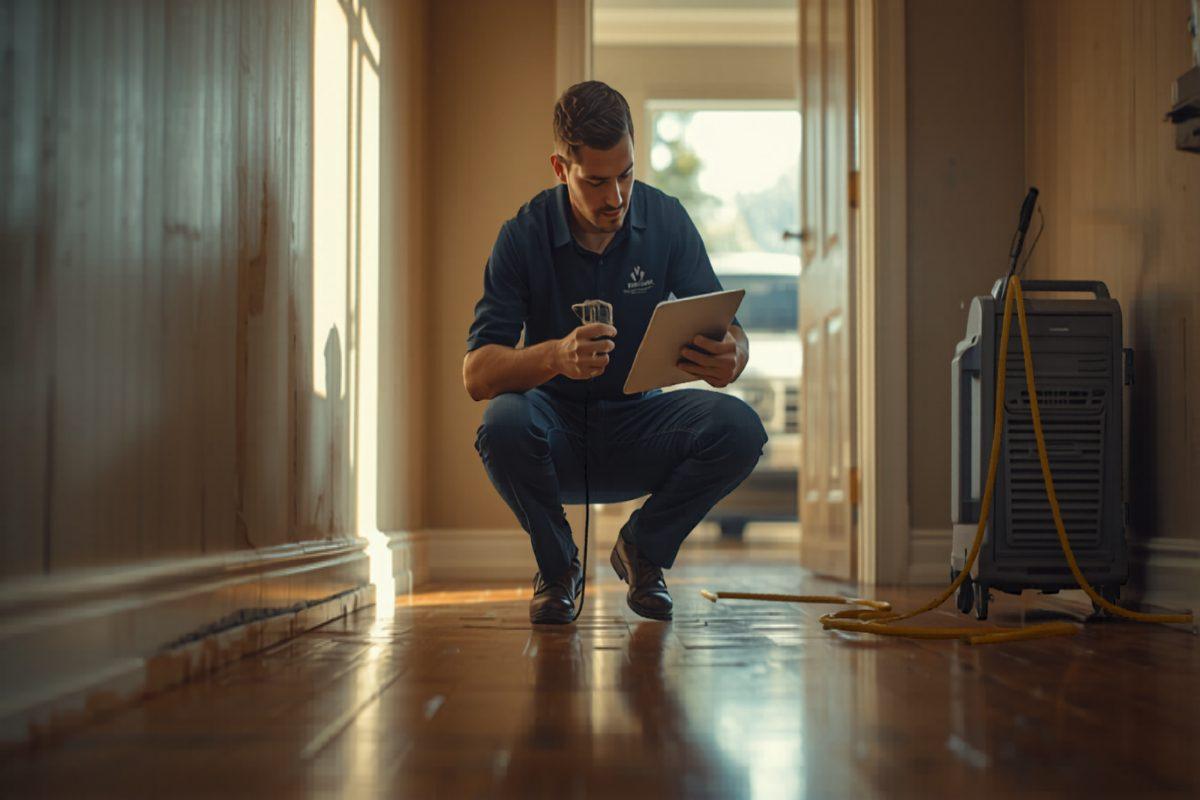
A restoration company runs on phone calls at 2 a.m., insurance carriers that change their program rules every quarter, and a piece of equipment that is either on the truck, on a job, in the warehouse, or — most often — nobody is sure. A homeowner calls about a burst pipe and expects somebody on-site in an hour. An adjuster wants a dry-out log and a moisture map by Tuesday. A property manager wants a status update on twelve units. A subcontractor is supposed to install drywall on Thursday but is waiting for the mitigation crew to confirm the structure is dry. And every air mover on every job is racking up an equipment-day charge that may or may not survive the line-item review on the Xactimate.
Most restoration companies start with Encircle, DASH, Albi, PSA, or Restoration Manager. For a single-office mitigation shop running residential water losses out of one warehouse, one of these will cover the basics. The cracks tend to show up later — when the company adds fire, mold, contents pack-out, and reconstruction under one roof; signs onto two or three carrier programs each with its own TAT clocks, photo requirements, and approval rules; opens a contents-cleaning facility that has to track every item from pack-out to pack-back; or grows past the point where the office can reconcile equipment, subcontractors, and the Xactimate by hand every Friday.
This post covers what custom software for a restoration company actually looks like, where the off-the-shelf options stop short, and the type of company that benefits most from building rather than renting.
Why restoration is different from generic field service
Restoration shares some surface with other field trades — dispatch, a tech in a truck, an invoice at the end — but the economics and the paperwork are structurally different. The customer is rarely the one paying the bill. The estimate is controlled by a third-party pricing database. The job is on a carrier-defined clock from the moment of first notice of loss. The differences that matter:
- The payer is not the customer. The homeowner or business owner is the customer experience; the insurance carrier is the payer; the adjuster is the gatekeeper; the carrier program manager is the auditor. Every system has to serve all four without making the office key in the same data four times.
- The estimate is the Xactimate. Pricing on a covered loss is bounded by the Xactimate (or Symbility) database, the carrier program rules, and the sketch. The internal system has to feed Xactimate scope data and pull line items back, not pretend it is the estimating tool.
- The clock starts at first notice of loss. Most carrier programs grade contractors on time-to-contact, time-to-on-site, time-to-dry, and time-to-complete. Missing a TAT on a program job costs scorecard points and, eventually, work volume. The system has to surface those clocks the moment the job opens.
- Equipment is a billable inventory. Air movers, dehumidifiers, HEPA air scrubbers, hydroxyl generators, and negative-air machines are billed by the day on every loss. Lost equipment is lost revenue; over-deployed equipment that the adjuster cuts at review is a margin loss. Tracking by asset tag is the difference between a healthy mitigation P&L and a broken one.
- Documentation is the work product. A dry-out log with moisture readings, equipment placement, room conditions, and timestamped photos is what gets the job paid. A weak photo set or a missing daily reading is the most common reason a mitigation file gets cut on review.
- The job spans mitigation, contents, and reconstruction. Many losses cross from emergency mitigation into a contents pack-out and then into a reconstruction rebuild that runs for weeks. The handoffs between divisions — and the shared customer file across all three — are where generic platforms quietly fall apart.
What the off-the-shelf platforms get right — and where they stop
There are real options in this space. Encircle is strong on field documentation. DASH (Next Gear Solutions) is built around carrier program compliance. Albi has cleaner scheduling. PSA and Restoration Manager are the older workhorses. For a single-division mitigation shop running residential water losses with a couple of carrier relationships, one of these will cover most of the workflow.
The cracks tend to show up in three patterns:
Mitigation, contents, and reconstruction under one roof. The same loss may go through emergency mitigation on day one, a contents pack-out on day two, and a reconstruction rebuild for the next six weeks — billed three different ways, against three different scope documents, often with three different project managers. Most platforms are built around the mitigation file and bolt contents and rebuild on as afterthoughts. The handoffs leak.
Carrier program rules that change quarterly. A contractor on a State Farm, Allstate, USAA, Liberty Mutual, or Travelers program has a different photo set, a different TAT clock, a different approval threshold, and a different scorecard for each one. The platform vendor cannot keep up with every program permutation, so the office is back to tribal knowledge and a binder of cheat sheets.
Reporting that does not match how an owner runs the company. Owners want gross margin per job after subs, equipment, and labor; equipment utilization and loss rate; technician productivity in revenue per labor-hour; the carrier scorecard in TAT and cycle time; and lead-to-job conversion by referral source. The platforms ship reports against the invoice. The owner wants reports against the operation.
What custom software for a restoration company typically includes
Most builds we scope cluster around the same core set of modules. The exact mix depends on the balance of mitigation vs. contents vs. reconstruction, the carrier program mix, and whether the company runs a contents-cleaning facility. The recurring pieces:
- First notice of loss intake — a phone, web, and carrier-portal intake that opens a job in seconds, captures cause of loss, category and class on water, urgency, carrier and policy info, and starts the TAT clock the moment the job is opened.
- Job board for mitigation — a live board for the on-call coordinator showing which jobs are open, what crew is dispatched, time-on-site, drying days elapsed, and a red flag the moment a TAT is about to slip.
- Tech mobile app for documentation — a phone-first app for the field tech, with moisture meter readings, equipment placement by room, timestamped photos in the format the carrier wants, signature capture on the work authorization, and offline support when the structure has no signal.
- Equipment tracking by asset tag — every air mover, dehumidifier, HEPA, and hydroxyl generator tagged and scanned in and out, with location, current job, days deployed, and a daily exception report on equipment that has been on a job longer than the dry-out plan called for.
- Drying log and moisture map — a daily dry-out log that captures readings against affected materials, generates the moisture map the adjuster expects, and flags rooms that are not drying at the expected rate so the project manager can adjust the equipment before the cycle slips.
- Xactimate and Symbility integration — sketch and scope data shared with the estimator so the line items match the actual rooms, materials, and equipment-days from the mitigation file, instead of being rebuilt from memory after the fact.
- Contents pack-out and pack-back — a barcoded inventory from origin room through the cleaning facility and back, with photos, condition notes, valuation, and a customer portal where the homeowner can review and sign for received items.
- Reconstruction scheduling and subcontractor management — a rebuild schedule that hands off cleanly from mitigation, manages subs on the schedule the way a small GC does, and captures the change orders the carrier will or will not approve.
- Carrier and adjuster communication — a structured update flow that pushes daily status, photos, and dry-out logs to the adjuster in the format and cadence the carrier program demands, without the office writing the same email for the fortieth time.
- Referral-partner portal — a portal for plumbers, property managers, and insurance agents who send work, where they can see the job status on a loss they referred and watch the response time without picking up the phone.
- Owner reporting — gross margin per job after subs, equipment, and labor; equipment utilization and loss rate; carrier scorecard in TAT and cycle time; revenue per labor-hour by division; lead-to-job conversion by referral source; and aged receivables by carrier.
None of these features is unique to custom software in the abstract. The point of building custom is that all of them work the way your company runs — your carrier mix, your equipment fleet, your contents facility, your reconstruction handoff — in the same system, without the manual reconciliation that comes with stitching Encircle, Xactimate, a spreadsheet, and a contents app together.
Equipment days are where mitigation margin is won or lost
The single most undermanaged number in a mitigation operation is the gap between equipment-days deployed in the warehouse and equipment-days billed on the file. A tech drops six air movers and two dehumidifiers on Monday, the job dries in three days, and the tech is back on-site Thursday to pick them up — except one air mover is still in the basement nobody walked back into, two air movers got moved to a different loss on Wednesday with no asset record, and the dehumidifier that came off the truck on Monday went home with a tech and is sitting in a side yard. The owner is going to invoice five air-mover days and four dehumidifier days. The warehouse is one air mover and one dehumidifier short, and the office has no idea why.
A real equipment tracking system makes the asset record the default output of the work. Every unit is scanned out to a specific job and a specific room, scanned to a new room or new job if it moves, and scanned in when it comes back. The daily exception report shows the warehouse what is overdue, what is on a job longer than the dry-out plan, and what has been off the books long enough that it has probably been stolen. The carrier file shows the actual equipment-days deployed, with timestamps, so the line item survives the adjuster review.
The carrier scorecard is the number the platform hides
A restoration company on a carrier program is being graded every quarter. Time-to-contact, time-to-on-site, time-to-dry, cycle time on a contents file, customer satisfaction, and estimate-to-final variance all roll into a scorecard that decides the next quarter's work volume. Most platforms can tell an owner what was invoiced. Far fewer can tell the owner that the company is averaging 47 minutes to first contact on losses called in between 10 p.m. and 6 a.m. — and the carrier wants 30 — and that one referral channel is converting at half the rate of the others but eating up coordinator time.
Custom software can treat the carrier scorecard as the operational dashboard it actually is — surface TAT clocks on every open job, flag a slipping job before the carrier flags it, track cycle time by division and by project manager, and give the owner a quarterly scorecard prep view that mirrors what the carrier is going to see. That is the difference between hoping the next quarter goes well and managing it.
Who benefits most from a custom build
Not every restoration company needs custom software. The ones that benefit most have at least two of the following:
- Mitigation, contents, and reconstruction under one roof — with the handoffs between divisions currently leaking time, photos, and accountability.
- Two or more carrier program relationships with different TAT clocks, photo requirements, and approval rules — and an office that is keeping it straight with cheat sheets and tribal knowledge.
- A real contents-cleaning facility with pack-out and pack-back, where the current system is a spreadsheet, a label printer, and a hope-for-the-best inventory.
- An equipment fleet large enough that lost units and over-deployed units are a real margin line, and the warehouse manager is reconciling by walking around once a week.
- A reconstruction division running on small-GC complexity — subs, change orders, building inspections — that the mitigation platform was never built to handle.
- Reporting needs the platform cannot answer — gross margin per job after subs and equipment, carrier scorecard in real time, equipment utilization by month, and revenue per labor-hour by division.
If a company is brand new or running a single mitigation crew on residential water losses with one or two carrier relationships, an off-the-shelf platform is almost always the right answer. Custom software is most useful when the division mix, the carrier program load, and the equipment fleet are real enough that the workarounds in a generic tool start costing real money — and real scorecard points — every month.
What a build looks like in practice
We start with the workflow, not the screens. Before any code is written, we map the actual operation: how a first notice of loss comes in and gets routed at 2 a.m., how the tech captures the dry-out log and equipment placement on-site, how the job hands off from mitigation to contents to reconstruction, how the carrier file gets built and updated, how Xactimate scope data flows in and out, how the equipment warehouse stays accurate, and how the owner sees gross margin and scorecard health before the carrier does. The custom software is built around that map.
Most restoration builds ship the core mitigation operation first — FNOL intake, job board, tech mobile app with drying logs and equipment scanning, customer and adjuster communication, and the estimate handoff — and add contents pack-out, reconstruction scheduling, subcontractor management, deep carrier program integrations, and the referral-partner portal in later phases. That sequencing keeps the project tight and gets the business value onto the trucks early.
Fixed price. No hourly billing. The scope and cost are agreed before any code is written, and we build against that scope.
Frequently asked questions
What software do restoration companies typically use, and where does it fall short?
Encircle, DASH (Next Gear Solutions), Restoration Manager, PSA Pro, and Albi are the most common job-management platforms, layered on top of Xactimate or Symbility for the estimate and Luxor or Moisture Mapper for the drying log. They cover the basics of intake, file storage, and equipment tracking for a single-office mitigation shop. The cracks show up when a company runs mitigation, contents, and reconstruction under one roof, services multiple carriers each with its own program-of-record rules and TAT clocks, runs a real contents-cleaning facility with pack-out and pack-back inventory, or wants to actually know the gross margin on a job after subs, equipment, and labor land — not just what was invoiced against the Xactimate.
Can custom software handle drying logs, equipment tracking, and Xactimate integration?
Yes. A custom build can capture daily moisture readings, room conditions, and equipment placement from a tech mobile app, generate the dry-out log the adjuster expects, push line items to Xactimate via the integration or carry sketch and scope data alongside it, and track every air mover, dehumidifier, and HEPA unit by asset tag — where it is, how long it has been there, and which job is going to be billed for the equipment days. Lost equipment and missed drying days are two of the biggest silent margin killers in mitigation, and both are solvable with a system that makes the record a byproduct of the work.
How long does it take to build custom software for a restoration company?
A focused first build — first notice of loss intake, job board for mitigation, a tech mobile app for drying logs and equipment placement, customer and adjuster communication, and an estimate-ready scope — typically ships in eight to twelve weeks once the scope is defined. Adding contents pack-out, reconstruction scheduling, subcontractor management, deep carrier program integrations, and a referral-partner portal extends the timeline. We scope the project before any code is written, so the timeline and cost are known up front.
If your restoration company has outgrown the platform you started on, start with a conversation. We will scope the workflow before talking about a build.
Ready to talk about your project?
Tell us what you're building. Brad reviews every submission personally.
Start Your Project