Job Costing Software for Small Contractors: Know Your Numbers Before the Job Closes
Most small contractors find out a job lost money after the fact. Job costing software built for your workflow gives you real-time visibility into labor, materials, and subs — so you can fix problems before they close.
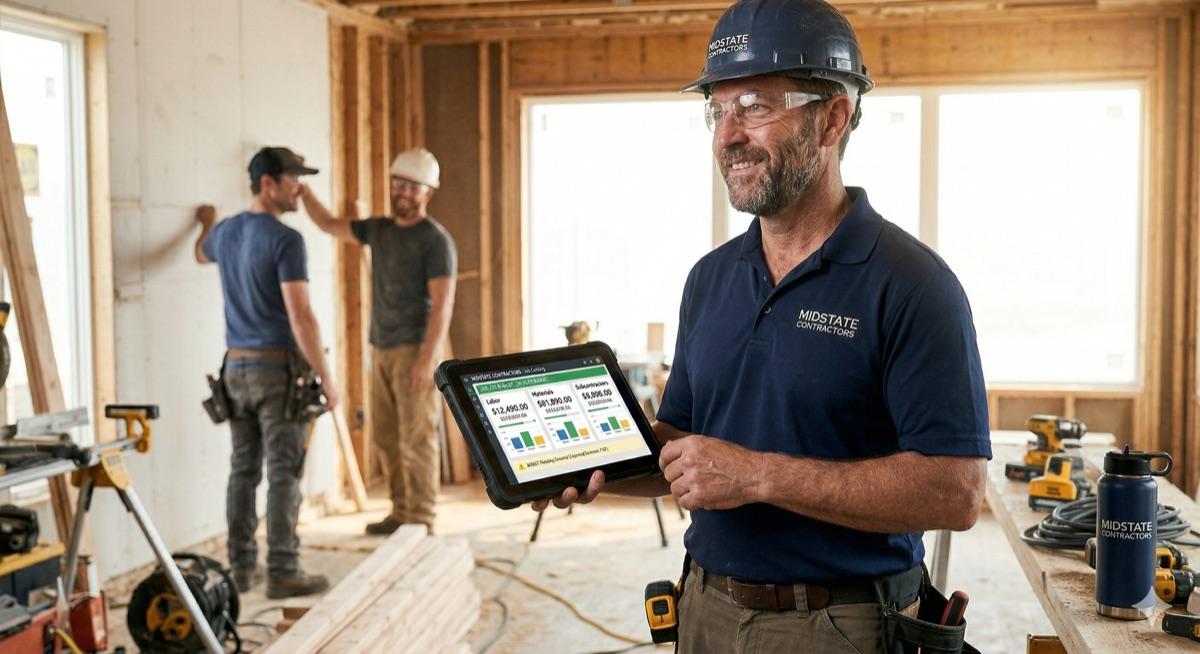
The problem with finding out at the end
Most small contractors track job costs the same way: paper timesheets, a folder of invoices, and a QuickBooks reconciliation at the end of the month. The job looks fine in the field. Then accounting closes the books and the numbers tell a different story.
By the time you know you lost money on a job, the job is done. The crew has moved on. The subcontractor has been paid. The owner has taken possession. There is no fixing it — only absorbing the hit and hoping the next job goes better.
That is the job costing problem. Not a lack of information — you had the receipts and the timesheets — but a system that surfaces the information too late to act on it.
What job costing actually requires
Job costing is not complicated in theory. You estimated the job at a certain cost. You want to know, at any point during the job, whether you are on track against that estimate. That requires:
- An original estimate broken down by cost category — labor by trade, materials by line item, subcontractor costs by scope.
- A way to log actual costs as they happen: hours worked by day, material purchases as invoices arrive, sub invoices as they come in.
- A live comparison of estimated versus actual, by category, updated continuously.
- An alert when a category is trending over budget — before the overrun is locked in.
- A final job cost report that closes the loop and feeds into your estimating process for the next similar job.
That is what job costing software does. The question is whether the tool you are using actually does it in a way that matches how your business captures and processes costs.
Why off-the-shelf tools fall short for small contractors
There is no shortage of job costing tools on the market. Procore, Buildertrend, Foundation, Sage 100 Contractor, and a dozen others all have job costing modules. The problem is not availability — it is fit.
These platforms are built around generalized workflows. The cost codes, approval chains, and reporting structures are designed to work for most contractors, which means they work perfectly for almost none of them. You spend more time fitting your process to the software than the software spends helping your process.
- Your trades or cost categories do not map cleanly to the platform's standard cost code structure.
- Your field staff will not use a complex system on their phones, so labor hours still get logged on paper and entered later — defeating the real-time value.
- The reporting shows you what the platform thinks you need to see, not what you actually look at when managing a job.
- Integration with your existing QuickBooks or accounting setup requires either a workaround or a paid integration that does not fully work.
- You pay per user, per month, for a platform built for a business five times your size.
Where job losses actually come from
After working with enough contractors, the same patterns show up. The margin erosion is almost always traceable to one of these:
- Labor overruns that nobody noticed until month-end because timesheets were paper and nobody was comparing hours-to-date against the estimate.
- Material cost creep — small purchases that individually look fine but collectively push the materials line 15% over budget.
- Subcontractor scope additions billed at the end of the job that were never formally captured as change orders.
- Forgetting to bill for approved changes — the owner agreed to additional scope verbally, the work got done, and nobody invoiced for it.
- Estimating errors on recurring job types because there is no feedback loop from final job cost back into the estimating template.
What a custom job costing system looks like
A custom build is not a one-size-fits-all solution rebranded with your logo. It is designed around how you actually track jobs — your cost categories, your approval workflow, your field team's phone habits, and your accounting setup.
For a small commercial subcontractor, that might look like:
- A job dashboard showing every active project, each one's current labor and material spend versus estimate, and a red flag on any category trending over 90% of budget.
- A simple mobile form for field leads to log crew hours by trade at end of day — takes two minutes, pulls directly into the job cost report.
- An invoice intake flow where the office manager codes each vendor invoice to a job and cost category, triggering an automatic update to that job's materials line.
- A subcontractor tracking view showing what each sub has been contracted for, what they have invoiced to date, and whether lien waivers have been received before payment is approved.
- A change order module that generates a written change order, gets the owner signature, and adds the approved amount to the contract value and corresponding cost category.
- A final job cost report that compares original estimate to final actuals by category — exportable and archivable so it feeds back into future estimates for similar work.
The estimating feedback loop
One of the undervalued benefits of good job costing is what it does for future estimates. When you have final actual cost data for every completed job, broken down by category and job type, your estimates stop being educated guesses and start being informed by real history.
If you know that your last six residential bathroom remodels came in at an average of 12% over your tile labor estimate, you can adjust. If your framing sub consistently comes in 8% under their original contract, you can price that in. The data is there — you just need a system that captures and surfaces it.
Built around your process
Brad Walker has built job costing tools for contractors across construction, HVAC, electrical, and specialty trades. The work always starts with the same question: where are you losing money, and what information do you need to stop it? The answer drives the build.
A fixed-price engagement means the scope is clear before development starts. You know what you are getting, what it will cost, and when it will be done. No hourly billing surprises, no scope creep, no year-long implementations.
Frequently asked questions
Does job costing software need to integrate with QuickBooks?
For most contractors, yes — keeping accounting in QuickBooks while tracking job costs in a separate system is the right split. A custom job costing tool can sync cost data, invoices, and payments with QuickBooks so you are not double-entering anything. That integration gets scoped and built as part of the project.
Can field staff enter costs from the job site?
Yes. A well-built job costing system includes a mobile-friendly interface so foremen or field leads can log labor hours, submit material receipts, and note issues from a phone. That data flows directly into the job cost report without anyone transcribing it back at the office.
What is the difference between job costing and project management software?
Project management software tracks schedules, tasks, and communication. Job costing software tracks money — what you estimated versus what you actually spent on labor, materials, and subcontractors. Many contractors need both, but they solve different problems. A custom build can combine them or focus on whichever gap is costing you more.
If you are ready to stop finding out a job lost money after the fact, start the conversation. The first step is a discovery call to map your current process and identify where the right system would make the biggest difference.
Ready to talk about your project?
Tell us what you're building. Brad reviews every submission personally.
Start Your Project